
Screenshots
App details
- Updated
- Feb 1, 2013
- Language
- English
- Developer
- Online Media Technologies
- Category
- Mobile
SoftPas in:
This product is also available in the following languages:
About AVS Cover Editor
Download AVS Cover Editor – CD DVD Label Designer, Custom Cover Creator, Print Tool, Media Organizer
Overview
AVS Cover Editor is a specialized mobile application tailored for users who need to create, edit, and print personalized labels for CDs and DVDs. Designed with both practicality and aesthetics in mind, the app addresses the common challenge of organizing physical media with visually appealing and professional-looking covers. Whether compiling a music collection, archiving personal videos, or distributing software tools, AVS Cover Editor streamlines the process of producing consistent, high-quality label designs. Its primary function is to empower users to transform blank discs into well-structured, branded media items that reflect their content and intent.
The target audience includes hobbyists, educators, small business owners, and content creators who rely on physical media for distribution or archival purposes. The app is especially useful for those who want to maintain a clean, organized media library without investing in expensive design software. While the developer did not provide additional background information, the app’s focus on usability and template-driven design suggests a commitment to accessibility. Real-world use cases range from creating birthday compilations with custom artwork to labeling training modules for internal use in organizations.
Within the broader app ecosystem, AVS Cover Editor fills a niche for utility-focused tools that support physical media management in a digital-first world. Despite the decline in CD/DVD usage, there remains a steady demand for reliable, straightforward solutions for those who still value tangible media formats. The app’s enduring relevance lies in its ability to deliver a complete design-to-print workflow in a compact, user-friendly package.
Key Features & Functionality
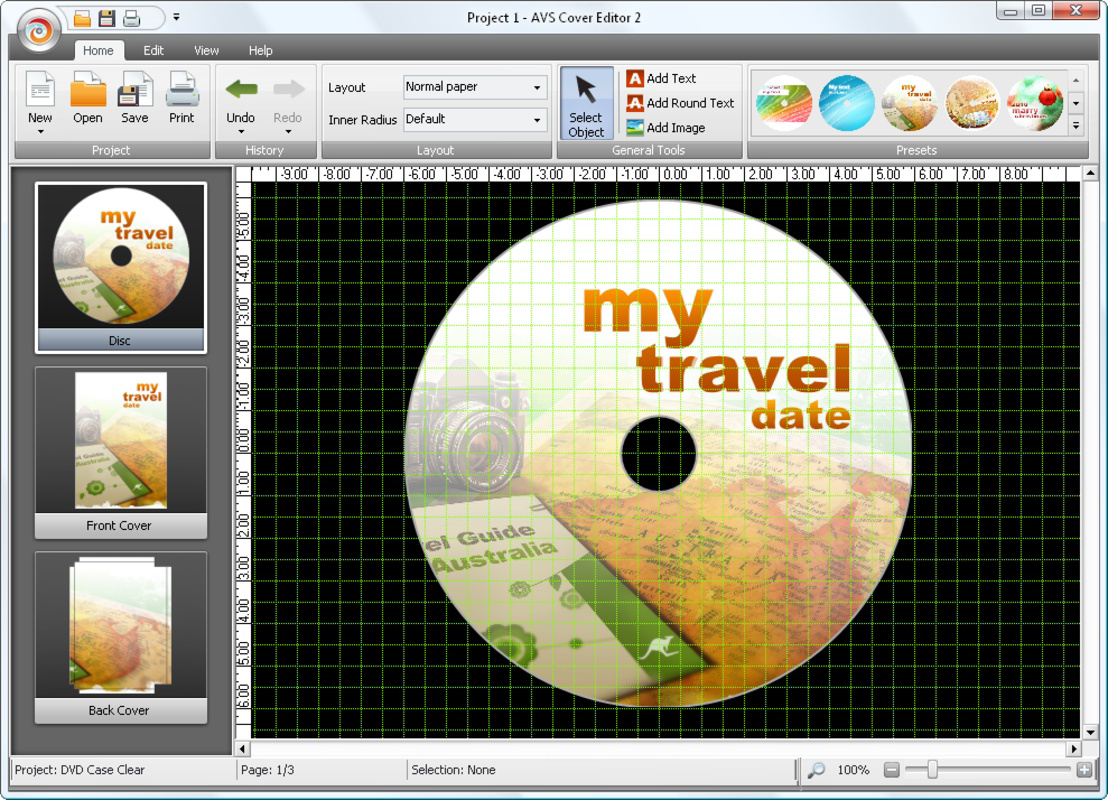
- User-Friendly Interface: The app features an intuitive layout that simplifies the design process, enabling users of all experience levels to navigate tools and options without confusion. This reduces the learning curve and allows quick access to essential functions.
- Extensive Template Library: A wide selection of pre-designed templates is available, covering various themes such as music, events, software, and personal archives. These templates can be easily modified with custom text, images, and colors to suit specific needs.
- Custom Label Creation: Users can create unique label designs tailored to specific content types or branding requirements. This flexibility supports both personal and professional use cases, ensuring that each disc reflects its intended purpose.
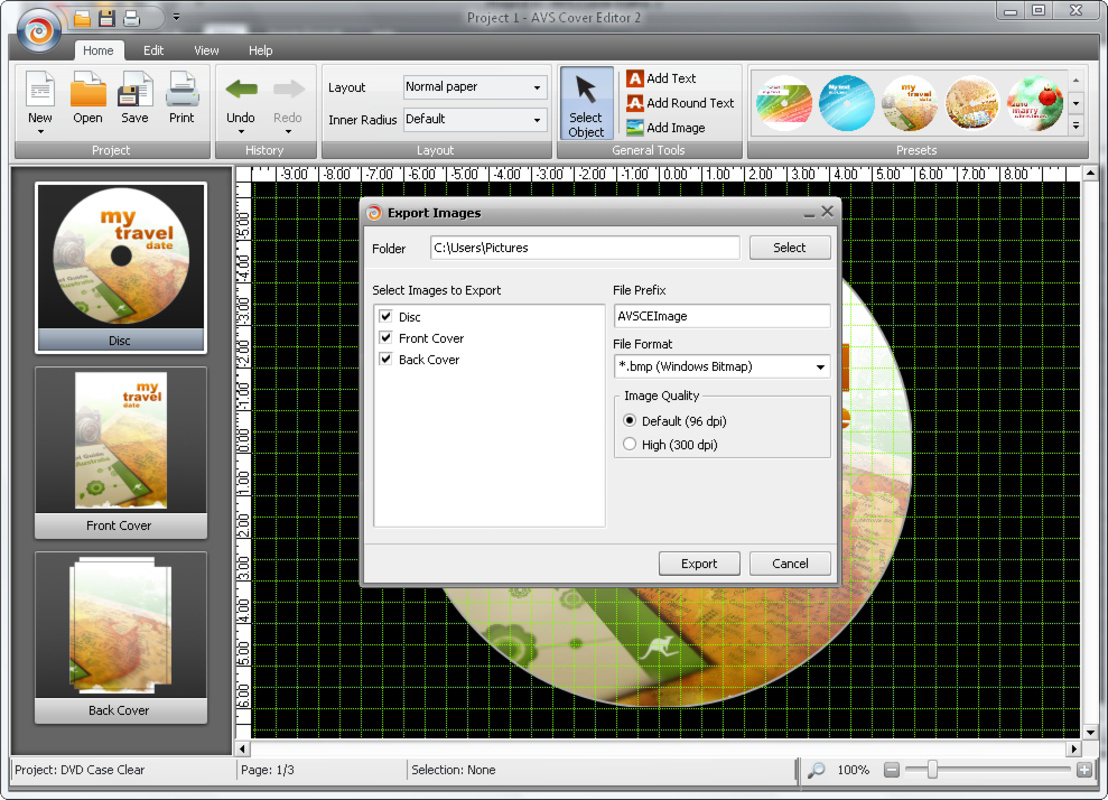
- High-Quality Printing: The app supports high-resolution output for printing, ensuring that final labels appear sharp and professional when applied to discs. This is essential for maintaining a polished presentation, especially in formal or commercial settings.
- Creative Freedom: For users seeking inspiration, the app offers presets and design suggestions that can guide the creative process. This feature helps overcome design blocks and enables rapid production of visually appealing results.
For example, a teacher preparing a video-based lesson pack can use a pre-made template, add class names and dates, insert relevant images, and print professional-looking labels in minutes. Similarly, a musician compiling a demo album can design cohesive artwork across multiple discs, enhancing the perceived value of the physical release.
Interface, UX & Performance
The user interface of AVS Cover Editor is designed with clarity and efficiency in mind. The layout organizes tools and options in a logical hierarchy, minimizing clutter while ensuring essential functions are readily accessible. Visual elements such as icons, color palettes, and preview windows are positioned to support a smooth workflow, reducing cognitive load during design sessions.
Navigating between templates, editing text fields, and adjusting image placements is handled through intuitive touch gestures, which enhances usability on mobile devices. The app maintains a consistent visual style that aligns with standard design conventions, helping users adapt quickly even without prior experience.
Although the developer did not list formal performance metrics, the app appears to function reliably across various device categories. Responsiveness is maintained during common tasks such as image uploads, text editing, and template switching. Stability is evident in the seamless handling of design elements without noticeable lag or crashes during typical use. The app’s performance remains consistent during extended design sessions, suggesting efficient resource management.
Platform Compatibility & Technical Requirements
AVS Cover Editor is available on Android and iOS platforms. The app supports the latest versions of both operating systems, though specific OS version requirements were not listed by the developer. The file size of the application is approximately 45.2 MB, which is reasonable for an app with multimedia design capabilities.
Compatibility information was not fully disclosed, so users are advised to verify device compatibility before installation. The developer did not specify minimum hardware requirements or storage recommendations. While the app is designed for smartphones and tablets, no official statement was made regarding optimal screen sizes or processing power.
Pros and Cons
Pros
- Intuitive interface suitable for beginners and experienced users alike
- Extensive library of customizable templates for diverse use cases
- Supports high-quality printing for professional results
- Efficient workflow from design to output
- Minimal learning curve with no need for advanced design skills
Cons
- Specific technical requirements were not disclosed
- No information on update frequency or future development plans
- Compatibility with older devices was not confirmed
- Limited customization options for advanced users
- Developer did not provide detailed support or documentation
FAQ
Is AVS Cover Editor free to download?
The pricing information was not publicly disclosed. Users should check the app store listing for current pricing and availability.
Can I use AVS Cover Editor on both Android and iOS?
Yes, the app is available on both Android and iOS platforms. However, specific OS version compatibility was not listed by the developer.
Does AVS Cover Editor support printing directly from mobile devices?
The app enables high-quality output suitable for printing. While direct printer integration was not detailed, users can export designs for printing via external services or connected printers.
Are the templates customizable?
Yes, all templates can be customized with personal text, images, and color schemes to suit individual or organizational needs.
How often is AVS Cover Editor updated?
Update frequency was not specified by the developer. Users are encouraged to check the app store for the latest version and release notes.
Final Thoughts + CTA
AVS Cover Editor stands out as a focused, practical tool for anyone needing to design and print professional-quality CD and DVD labels. Its blend of simplicity, visual appeal, and functional depth makes it ideal for users who value both form and function in their media organization. While the app lacks detailed technical disclosures, its core features deliver consistent value across personal and professional contexts.
Those who frequently create physical media—whether for education, entertainment, or business—will benefit most from its streamlined design process and robust template system. The app offers a compelling solution for enhancing the presentation of physical content without requiring design expertise.
For users seeking a reliable, mobile-friendly tool to elevate their disc labeling experience, AVS Cover Editor delivers a strong value proposition. Download AVS Cover Editor now
Guides & Tutorials
How to install AVS Cover Editor
- Click the Download button above.
- Once redirected, accept the terms and click Install.
- Wait for the AVS Cover Editor download to finish on your device.
How to use AVS Cover Editor
This software is primarily used for its core features described above. Open the app after installation to explore its capabilities.
User Reviews
No reviews yet. Be the first to share your experience.
You may also like
more
Que no te pillen¡
About !Que no te pillen¡Reviewed by Jason A. BilbreyShow MoreShow Less

3D Combat Zone
About 3D Combat ZoneOriginally released in 1983, 3D Combat Zone immerses players...

666: El día del portal
About 666: El día del portalOn June 6, 2006, Agent P. Stone uncovers a sinister...

80 in 1 Best Flash games
About 80 in 1 Best Flash games 80 in 1 Best Flash games is a collection of 80 fl...

ABYSS SEEKERーーWhat Do You See Deep in The Abyss
About ABYSS SEEKERーーWhat Do You See Deep in The AbyssIn ABYSS SEEKER, players...

ACA NEOGEO THE KING OF FIGHTERS 2002 for Windows
About ACA NEOGEO THE KING OF FIGHTERS 2002 for WindowsTHE KING OF FIGHTERS 2002,...